
Deliver courses to your clients
For you if you make e-learning or run courses for other companies. Give each client its own site, or let the courses run in the client's own LMS.
Choose per client
In Activate LMS
The client gets its own organisation or its own site with its own logo and address. You do the administration, and the client keeps track.
In the client's own LMS
With SCORM proxy the course runs in the client's LMS, while the content stays with you. Update in one place, and close access when the agreement ends. How it works
Classroom courses
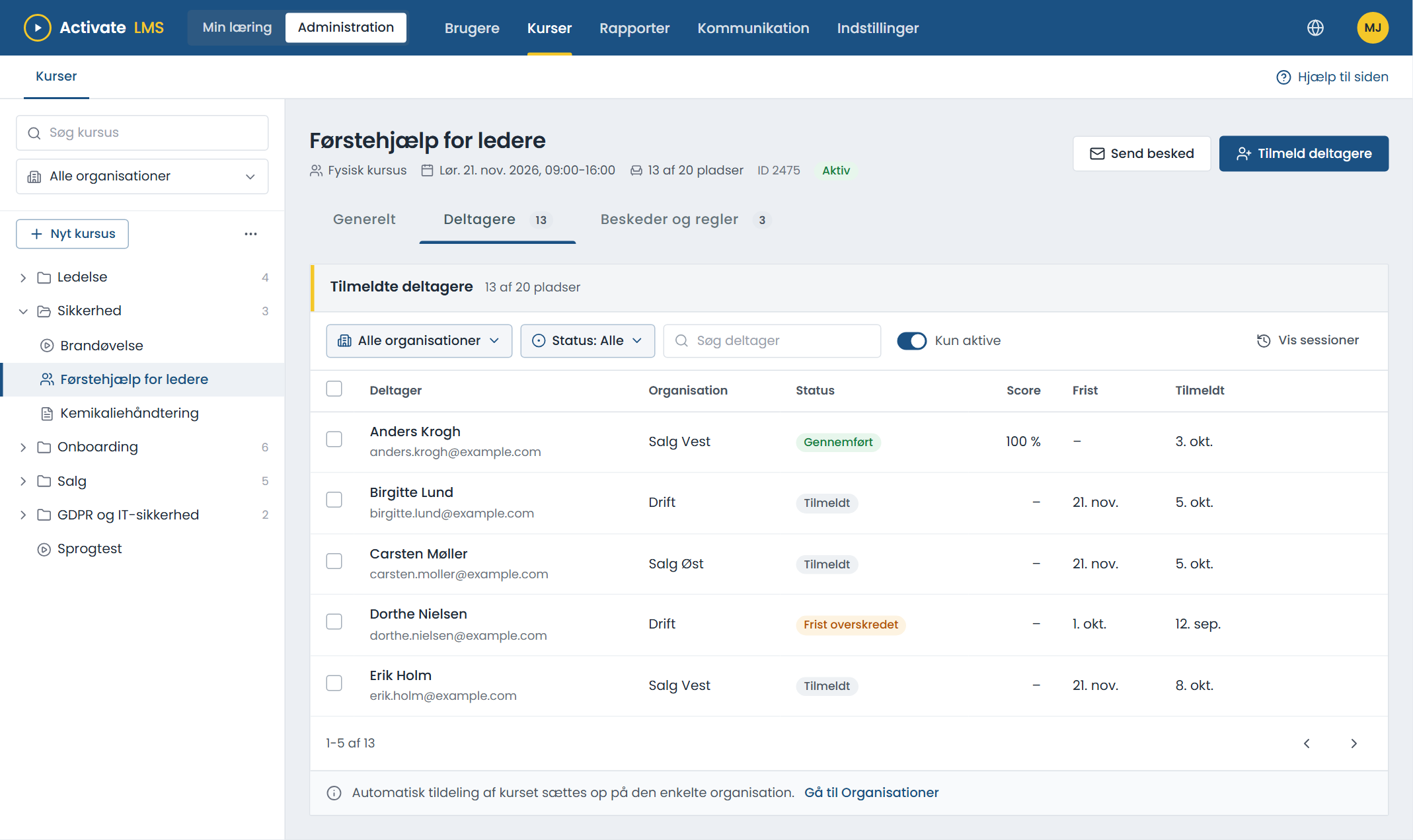
Open or closed classes with seats, sign-up via link or QR code, reminders and attendance. Read more
Your courses in the client's own LMS
If the client already has an LMS, employees should not need another login. With SCORM proxy, also called external SCORM packages, the client gets a small package that looks like an ordinary SCORM course. The content itself stays in Activate LMS.
Enrol the client
Create the client as a user in Activate LMS, and enrol the user on your course.
Download the package
From the participant list you download a SCORM package in version 1.2 or 2004. It does not contain the course, only the route to it.
The client uploads it
The client adds the package to its own LMS like any other SCORM course.
The results end up with the client
When an employee opens the course, the content is fetched from Activate LMS. Progress, score and completion are saved in the client's LMS.
- Change the course in one place. All clients have the new version as soon as you upload it. No new files to send around.
- Close access when the agreement ends. Remove the client's enrolment in Activate LMS, and the course no longer opens.
- The content stays with you. The client never gets the course files, and employees cannot see that the course comes from another LMS.
Less manual work per client
Enrolment, reminders and reports run automatically, also with many clients.
- Upload via API directly from your production system.
- The same course for many clients, in several languages.
- A report per client, which the client can see.
- Course evaluation, so you know what participants think.
About the solution for training providers
Can clients pay for courses online?
Not at the moment. Invoicing takes place outside the LMS.
What does it cost to have many clients?
It depends on the number of clients and users. Contact us, and we will send you a quote.
Does SCORM proxy work in every LMS?
It works in any LMS that can run SCORM 1.2 or SCORM 2004, and the vast majority can. The course files must be uploaded to Activate LMS as SCORM. If you are unsure about a particular LMS, ask us.
Can clients see each other?
No. Each client only sees its own users, courses and reports.
Tell us about your clients
Then we will show you how to deliver the courses with as little work as possible.